New: Real-Time Team Collaboration and Approval Workflows
Ryan Cooper
Product Designer
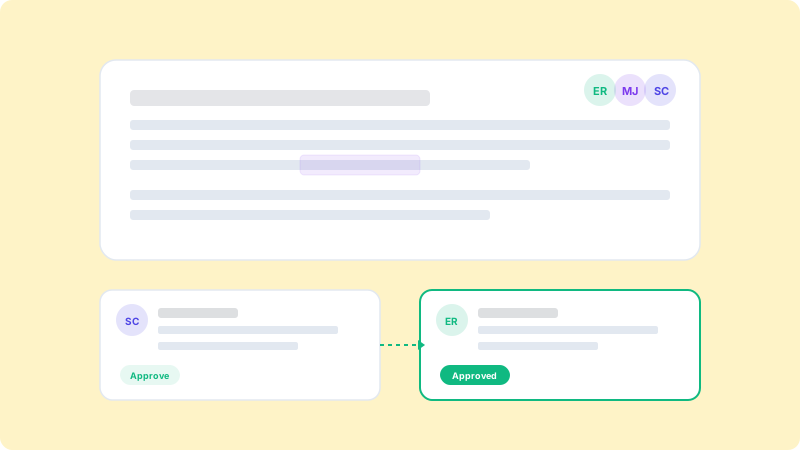
Today we are launching three features that our users have been requesting since day one: real-time co-editing, inline comments, and multi-stage approval workflows. These features transform WritSpark from a content generation tool into a complete content collaboration platform.
Real-Time Co-Editing
Multiple team members can now work on the same document simultaneously. You will see each collaborator's cursor and edits in real time, just like Google Docs. This is especially useful for content that requires input from multiple stakeholders.
Inline Comments and Feedback
Highlight any text and leave a comment for your team. Tag specific people with @mentions, resolve comment threads, and track feedback history. No more switching between Slack and your content tool to discuss edits.
Multi-Stage Approval Workflows
Set up custom approval workflows with up to five stages. Define who needs to approve content at each stage: writer, editor, legal, manager, or any custom role. Content cannot be published until all required approvals are granted.
Role-Based Permissions
Assign roles to team members: Admin, Editor, Writer, or Viewer. Each role has appropriate permissions for creating, editing, approving, and publishing content. Custom roles are available on the Team plan.
Version History
Every edit is tracked with full version history. Compare versions side by side, restore previous versions, and see who made what changes and when. This is invaluable for regulated industries that require audit trails.
Getting Started
These features are available today for all Pro and Team plan users. Visit your project settings to configure approval workflows and invite team members with the appropriate roles.